
Transform Your Shop Page in Real-Time: The Power of Visual Customization at Your Fingertips
WooCommerce Page Builder: Customize Shop Pages Drag-and-Drop, No Coding
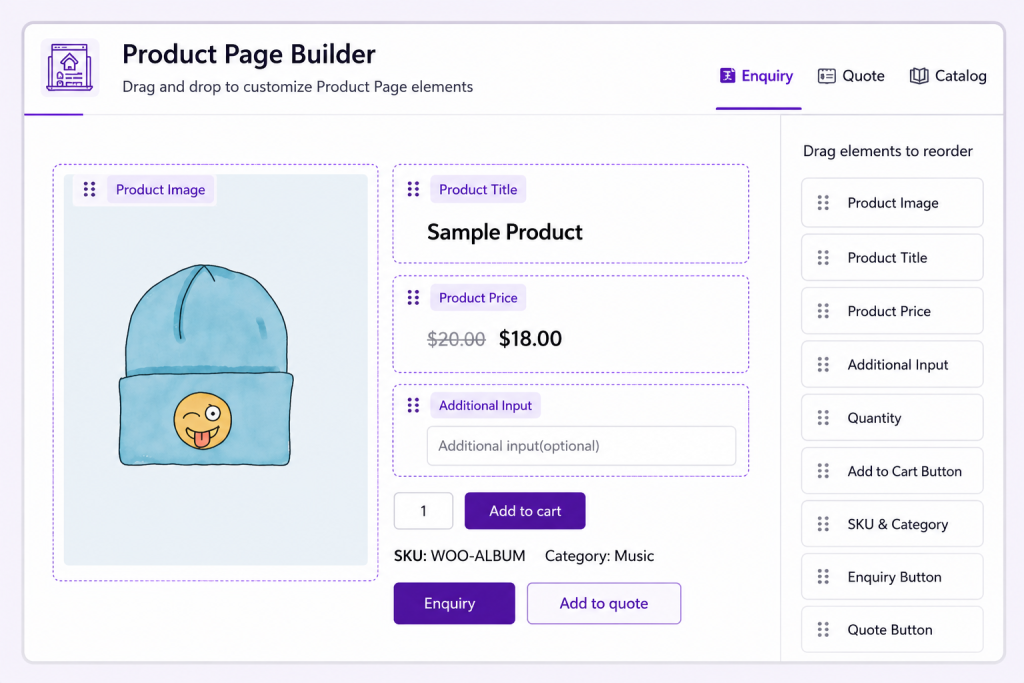
Visual Mastery, Instant Results
Craft Your Perfect Shop Page: See, Edit, Succeed
Exact Replica
Work on a precise copy of your live shop page.
Instant Preview
See changes in real-time as you make them.
Risk-Free Experimentation
Test new layouts and designs without affecting your live site.
Performance Optimization
Fine-tune your page layout for maximum conversion and user engagement.

Drag-and-Drop Simplicity – Customize your page layout with ease
Effortless Design, Powerful Results: Your Shop, Your Way
Strategic Element Placement
Place key buttons to enhance user experience and boost conversions.

Intuitive Design Interface
Design with ease – drag, drop, and see instant results, no coding required.

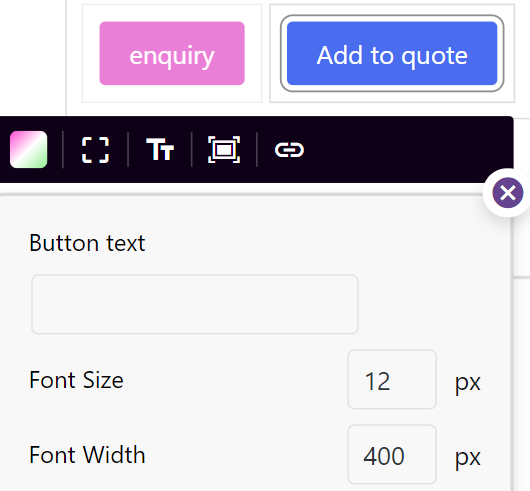
Typography That Talks
Configure where buttons redirect (checkout, product pages, external links). Control customer journey with one click.
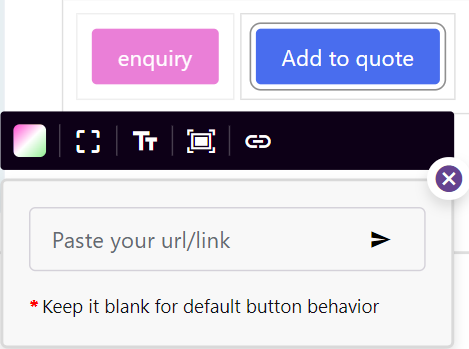
Smart Redirects
Configure where buttons redirect (checkout, product pages, external links). Control customer journey with one click.
Transform your WooCommerce store from ordinary to extraordinary – CatalogX is your key to unlocking unparalleled growth, efficiency, and customer satisfaction.
What is CatalogX page builder and who should use it?
CatalogX page builder is a drag-and-drop editor for WooCommerce shop pages. You should use it if you want to customize page layouts, button placement, and styling without hiring a developer. Perfect for non-technical store owners.
How does the page builder work?
Open the page builder, select elements (buttons, text, images), drag them to new positions,
customize colors/fonts/sizes, and see changes instantly on your shop page. No coding required.
Can I use the page builder without knowing how to code?
Yes. The drag-and-drop interface is designed for non-technical users. Just drag elements,
point-and-click to customize, and see real-time preview. No HTML, CSS, or coding needed.
What can I customize with the page builder?
Button placement and styling (colors, fonts, sizes), text content, layout, product
showcase styling, section backgrounds, spacing, and alignment. Full visual control.
Is it safe to experiment with page layout?
Yes. Work on an exact replica of your live page. Changes don’t affect your live site until
you publish. Test new layouts and designs risk-free.
Can I restore my page to a previous design if I don’t like changes?
Yes. Save design versions and revert anytime. Experiment without fear of losing your original design.
Do I need coding skills to use page builder?
No. Drag-and-drop interface requires zero coding. If you can use WordPress editor, you can
use CatalogX page builder.
How is CatalogX page builder different from Elementor?
CatalogX page builder is built specifically for CatalogX features (quotes, wholesale pricing,
enquiries). Elementor is a general page builder that works with any plugin. Choose CatalogX
if you’re already using CatalogX. Choose Elementor if you want maximum flexibility with third-party plugins.