
Quotation Mastery: Craft, Convert, and Close Deals Faster
Quote Smart, Sell Faster: Your All-in-One Deal Closer
Quote Precision, Instant Conversions
Streamlined Quote-to-Order Workflow
Craft Perfect Quotes
Tailor proposals with ease in your admin panel.
Generate PDFs
Impress clients with polished, email-ready quotes.
Track Every Stage
Monitor all WooCommerce quotation requests in real time.
Convert with a Click
Quickly turn quotes into orders with custom pricing for WooCommerce.

Elevate Customer Engagement
Personalize interactions and empower clients throughout the quoting process
Tailored Communication
Customize messages for quote submissions and updates.
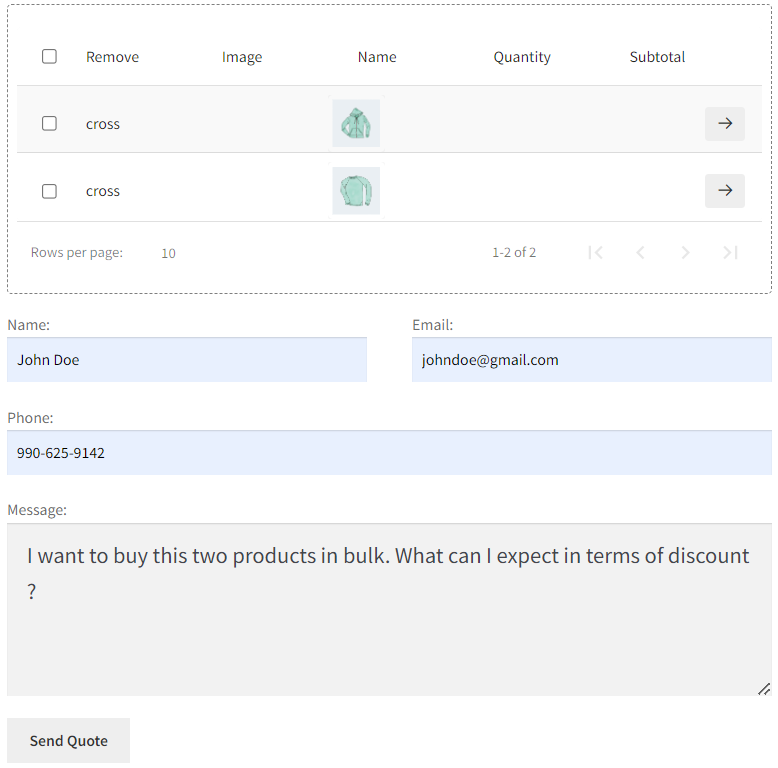
Flexible Pricing Options
Allow customer price offers and display standard prices as needed.
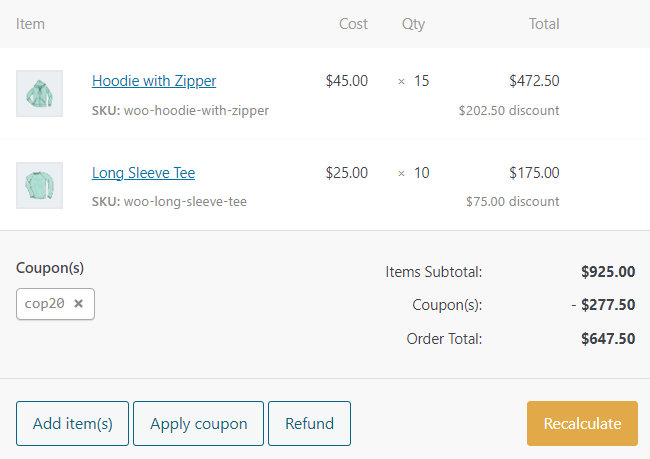
Smart Quote Controls
Manage all quotes, view their status, and take action from the quotation list page.
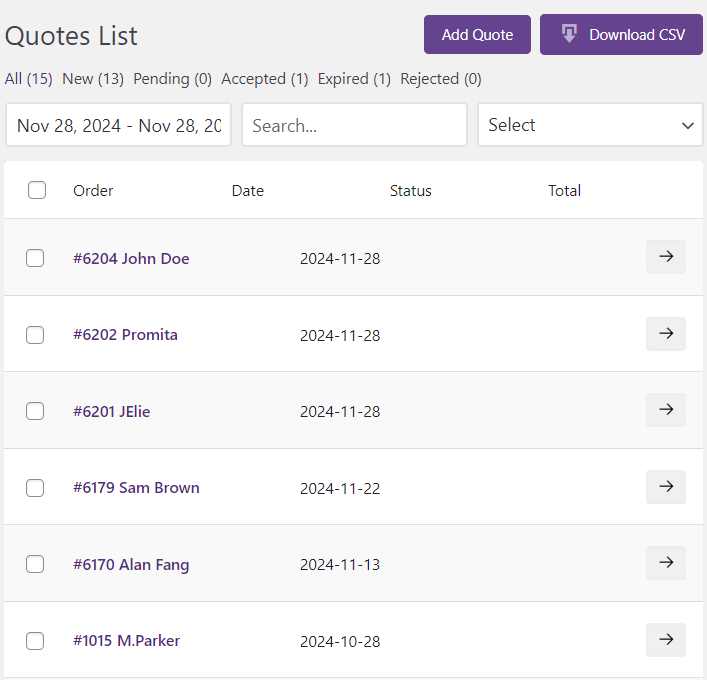
Seamless Updates
Notify customers instantly about WooCommerce quotation requests via email.
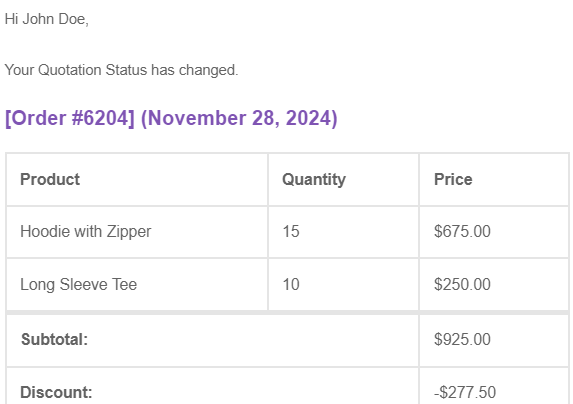
By implementing Smart Quote Management, sales were boosted by 45%
Enable faster responses and improve customer satisfaction, driving significant growth.
Inconsistent Pricing
Inconsistent pricing across sales representatives made it difficult to provide accurate.
Challenges
01
Solutions
01
Standardized Quoting
Implemented templated quote creation formats to standardize the pricing and quoting process.
Lack of Quote Visibility
There was no systematic way to track the status of quotes, leading to communication gaps.
Challenges
02
Solutions
02
Real-Time Tracking
Implemented real-time tracking of quote progress to improve visibility and keep customers informed.
Manual Quote Conversion
Manually converting quotes to orders was a time-consuming and error-prone process.
Challenges
03
Solutions
03
Instant Quote-to-Order
Enabled instant transformation of quotes directly into customer orders.
Lengthy Quoting Time
The quote preparation process took 4-6 hours on average, slowing down customer response time.
Challenges
04
Solutions
04
Streamlined Quoting
Standardized the quote creation workflow to reduce the time required to generate quotes.
Real Impact: Our Quotation Module Delivers
45%
Quote-to-order Conversion
28%
Customer Satisfaction
32%
Sales Team Productivity
15%
Average Order Value
4-6
Processing Time(hour)
Transform your WooCommerce store from ordinary to extraordinary – CatalogX is your key to unlocking unparalleled growth, efficiency, and customer satisfaction.
How to request a quote in WooCommerce?
With CatalogX, customers request a quote in three steps: 1) They navigate to any product page and click the ‘Request a Quote’ button (instead of Add to Cart). 2) They fill out a customizable form with their name, email, quantity needed, and any special requirements. 3) They submit the request — it lands in your CatalogX Enquiry Portal, and they receive a confirmation email. Unlike traditional WooCommerce, this replaces the checkout process entirely for B2B buyers. They never see a price tag or cart — they submit their request, you review it, and you respond with a custom quote via email or PDF.
What’s the difference between CatalogX and YITH Request a Quote?
Both CatalogX and YITH let you add a request a quote button, but CatalogX solves the full B2B problem in one plugin. CatalogX includes: request a quote, quotation management, wholesale pricing tiers, dynamic role-based pricing, and one-click quote-to-order conversion – all from one dashboard with no separate extensions. YITH Request a Quote focuses on the quote request part. For wholesale pricing, you need a separate plugin. For dynamic pricing, another extension. For B2B stores, CatalogX is cheaper (one plugin fee vs. three) and faster to set up (one settings page vs. managing multiple extensions).
Can I hide prices and show a ‘Request a Quote’ button instead?
Yes – completely. With CatalogX, you can: hide prices site-wide for all visitors, hide prices only for guest users while showing prices to logged-in wholesale buyers, hide prices for specific product categories or individual products, and replace the Add to Cart button with ‘Request a Quote’, ‘Get Pricing’, or custom text you choose. This is the core feature for B2B and wholesale stores. You control exactly who sees what price (or no price) – and what button they see instead.
How does quote-to-order conversion work?
The quote-to-order flow is:
1) Customer requests a quote on product(s).
2) You review the request in the CatalogX Enquiry Portal.
3) You create a custom quote with your pricing, shipping, and terms.
4) You send the quote as a PDF or email link.
5) Customer clicks ‘Accept & Checkout’ in the email or PDF.
6) Their quote converts into a WooCommerce order automatically — no re-entry, no re-negotiation.
7) Payment link is sent. Order is placed. You fulfill it. The entire flow takes 30 seconds per quote. No manual order entry. No missed communication.
Does CatalogX work with wholesale pricing and bulk discounts?
Yes — the Wholesale Module is built in. You can: set different prices for wholesale, retail, VIP, and guest user roles; create bulk quantity discounts (e.g., 50+ units = 20% off); apply role-based pricing to wholesale customers automatically; show wholesale prices only to logged-in wholesale buyers; and let wholesale customers add items to a quote cart and request quotes at their negotiated rates. This means your wholesale buyers see their prices, your retail buyers see theirs — all from one product page. No confusion, no manual workarounds.
Can customers generate PDF quotes themselves?
Customers can download and view quotes as PDFs once you send them. The flow is:
1) You create the quote with pricing and terms in your admin panel.
2) CatalogX generates a professional PDF with your logo, branding, and terms.
3) The PDF is attached to the email or available in the customer’s account.
4) Customer can download, review, share internally with their team, and accept from the PDF. Customers cannot generate their own quotes — you control the pricing and terms. This is intentional for B2B — it keeps the negotiation professional and prevents quote spam.
What if I want customers to suggest their own price on quotes?
CatalogX supports ‘customer offered price’ — a field where buyers can suggest a price they’re willing to pay. When a customer requests a quote, they can optionally submit their own price offer. You see it in the Enquiry Portal, review it, and decide whether to accept, counter-offer, or decline. This is powerful for negotiation-heavy industries (manufacturing, wholesale, industrial). It opens a real dialogue instead of you always naming the first price.
Does CatalogX work with MultiVendorX (multi-vendor stores)?
Yes — full compatibility. With CatalogX + MultiVendorX, you can: let vendors manage their own quotes from a vendor dashboard; set vendor-specific pricing and quote rules; route customer quotes to the correct vendor automatically; track quote-to-order conversions per vendor; and hide prices or show them by vendor. This is critical for multi-vendor marketplaces where each vendor has different pricing strategies. CatalogX handles it without extra configuration.
Is there a limit to how many quotes I can create or track?
No limit. CatalogX scales with your business: unlimited quotes per month, unlimited quote history (searchable in the portal), unlimited products available for quote requests, unlimited customizable form fields, and unlimited customer roles and pricing rules. Stores using CatalogX handle anywhere from 5 quotes/month to 500+/month. The performance stays the same. You’re only limited by your team’s capacity to respond, not the plugin.
Can I customize the quote request form with my own questions?
Yes — drag-and-drop form builder. You can add: text fields (name, company, contact info), dropdowns (product variations, delivery dates, payment terms), file uploads (technical specs, artwork, custom requirements), checkboxes and radio buttons (volume tiers, custom options), and text areas (detailed requests or notes). Every field is optional or required — you choose. The form data is captured and stored with the quote request, so you have all the context you need to respond with an accurate quote.
Does CatalogX work with my WooCommerce theme?
CatalogX is compatible with 99% of WooCommerce themes because it uses standard WooCommerce hooks and filters — not custom HTML. It works with default WooCommerce themes, popular themes (Flatsome, Neve, Divi, GeneratePress, OceanWP), custom themes (as long as they follow WooCommerce standards), and page builders (Elementor, Gutenberg, etc.). If you have a non-standard theme, test it on the live demo first. If there’s an issue, our support team can help with CSS tweaks.
How does CatalogX compare to hiding prices with WooCommerce plugins only?
Hiding prices is easy. Managing quotes is the hard part. With a price-hiding plugin alone, you hide prices but customers have no way to request a quote — they email you or call. You lose the inquiry, miss the lead, or handle it outside your store. CatalogX bundles: hide prices, capture quote requests, manage quotes in one dashboard, track quote status (pending, sent, accepted, won), convert quotes to orders, and wholesale pricing. It’s a complete system, not a band-aid.