
Unleash Smart Discounts, Skyrocket Sales
Revolutionize Your Pricing Strategy: Dynamic Discounts for WooCommerce
WooCommerce Dynamic Pricing: Create Role-Based & Bulk Discounts Automatically

Craft, Control, Convert: Your Pricing Power Unleashed
Supercharge Your Store with Smart Discounts
Drag-and-Drop Rule Prioritization
Easily manage multiple discount rules with a simple drag-and-drop interface. Prioritize your WooCommerce discounts to ensure the right offers are applied to your customers’ orders, optimizing your pricing strategy with just a few clicks.

Flexible Discount Rules
Create custom pricing strategies based on products, categories, user roles, and order totals to suit your unique business needs.
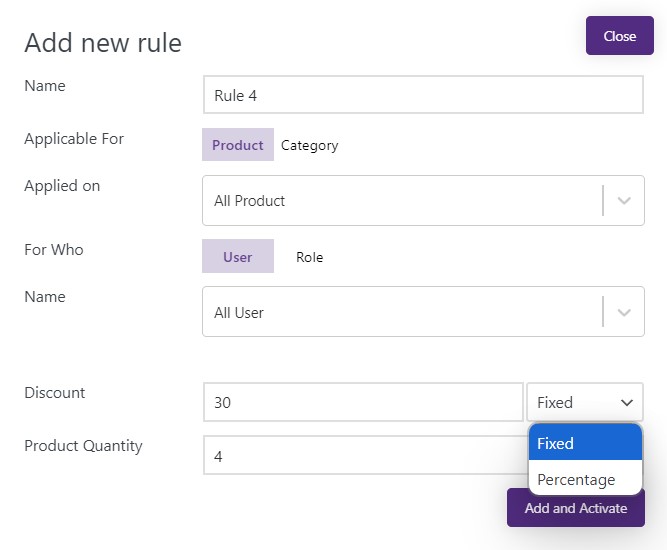
Product and Category-Specific Discounts
Hide specific products from certain customer roles or user groups. Show wholesale-only products to approved wholesale buyers.
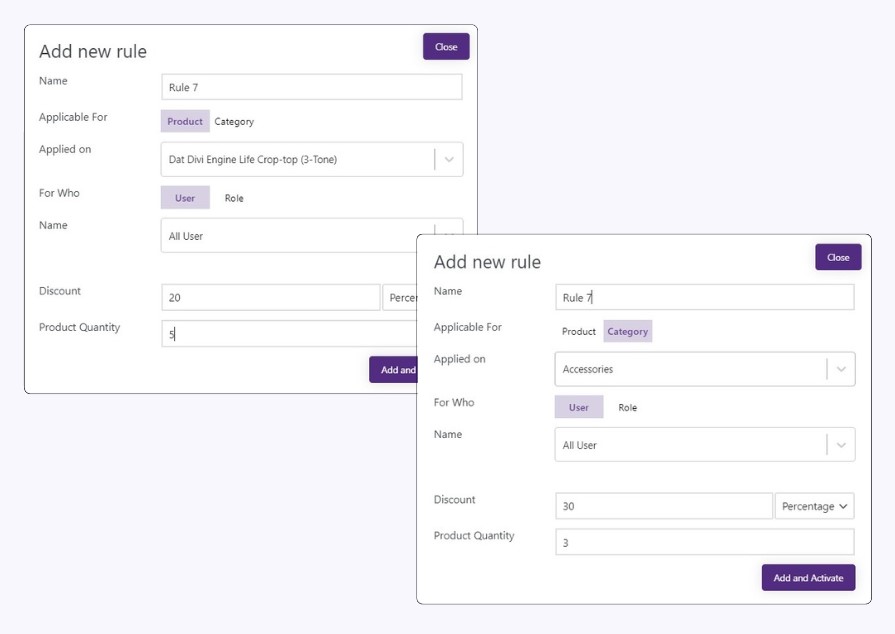
Bulk Discounts & Quantity Pricing
Encourage larger purchases by offering tiered discounts based on product quantity or cart value.
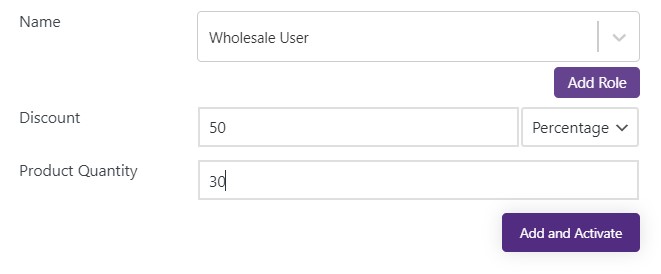
User Role-Based Pricing
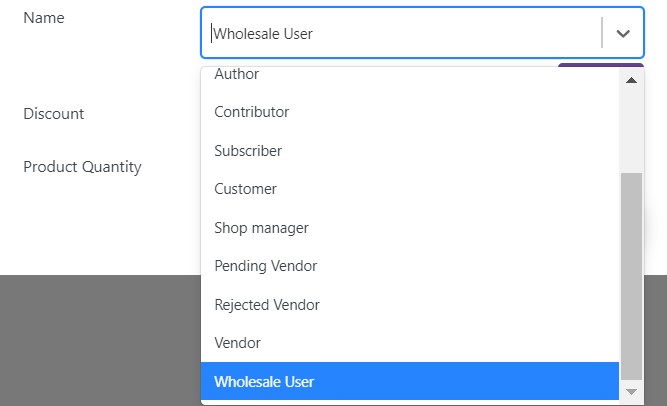
Tailor your pricing for different customer segments, offering exclusive discounts to specific user roles like subscribers or wholesale buyers
Turn Pricing Complexity into Revenue Growth
Traditional pricing models limit your growth potential. See how our Dynamic Role-Based Pricing Module helps you deliver the right price to every customer segment, automatically.
Inflexible Bulk Purchase Pricing
Large-volume buyers and wholesalers abandon purchases due to one-size-fits-all pricing that doesn’t reflect their purchasing power.
Challenges
01
Solutions
01
Role-Based Discount Rules
Automated pricing system that applies customized discounts based on user roles, allowing wholesalers and bulk buyers to instantly see their privileged pricing.
Complex Customer Segmentation
Large-volume buyers and wholesalers abandon purchases due to one-size-fits-all pricing that doesn’t reflect their purchasing power.
Challenges
02
Solutions
02
Customized Pricing Hierarchies
Intelligent role-based pricing engine that automatically applies the right discount level based on customer classification and order volume.
Product-Specific Discount Management
Manual administration of varying discount rates across different product categories creates operational inefficiencies and pricing errors.
Challenges
03
Solutions
03
Granular Discount Control
Centralized dashboard for setting product-specific discounts per role, enabling precise control over margins while maintaining pricing consistency.
45%
Quote-to-order Conversion
28%
Customer Satisfaction
32%
Sales Team Productivity
15%
Average Order Value
4-6
Processing Time(hour)
Transform your WooCommerce store from ordinary to extraordinary – CatalogX is your key to unlocking unparalleled growth, efficiency, and customer satisfaction.
What is CatalogX dynamic pricing and what does it do?
CatalogX dynamic pricing is a WooCommerce plugin for creating flexible pricing strategies.
Set different prices for different customer segments (wholesale vs retail), apply bulk
discounts based on quantity, offer category-specific promotions, and automate all pricing
changes based on user role or purchase volume.
Can I set different prices for wholesale vs retail customers?
Yes. Create pricing rules by user role. Example: Assign “Wholesale” role to bulk buyers,
set wholesale pricing 20% lower than retail. Wholesale customers automatically see
their lower prices. Retail customers see full price.
How do bulk discounts work with dynamic pricing?
Set tiered pricing by quantity. Example: 1–10 units = full price, 11–50 units = 10% off,
50+ units = 20% off. Customers see price drop automatically as quantity increases in cart.
Can I create discounts for specific product categories?
Yes. Create rules like “All electronics 15% off” or “Books 20% off this week.” Apply
discounts to individual products or entire categories.
How do I prioritize rules if multiple discounts apply?
Use the drag-and-drop rule prioritization. If a customer qualifies for multiple discounts,
the top rule in the list applies. Drag rules up/down to change priority.
Is setup complicated or does it require coding?
No coding needed. Drag-and-drop interface. Create new discount rule, set conditions
(product, role, quantity, etc.), set discount %, and you’re done. Automatically applies.
What happens if a customer matches multiple discount rules?
The highest-priority rule (top in your list) applies. You control priority by dragging
rules. This prevents accidental “stacking” of discounts.
Can I set different prices for different time periods?
Yes. Create rules with date-based conditions. Example: Summer sale 25% off, June 1–Aug 31.
Discounts automatically apply and remove based on schedule.
Does dynamic pricing work with coupons?
Yes. Dynamic rules and coupons can coexist. Customers see dynamic discount on product,
plus can apply coupon for additional savings. You control both.
How much does CatalogX dynamic pricing cost?
Pricing is included in CatalogX plans. Check pricing page for plan details. Free version
includes basic dynamic pricing with limited rules.